


City Brand Guide
Brand Assets & Guidance
Help us keep the City of Milwaukee’s identity strong and consistent. These guidelines provide the foundation for all city communications and are updated regularly.
Getting Started
-
Need Logos? Download files below or contact your department’s communications officer.
-
Launching a Campaign? Whether it’s print or digital, we’re here to collaborate. Please reach out to your communications officer or the brand officer before you begin.
Questions? Contact the Brand and Creative Services Officer for assistance.


Seals and Logos - Other Symbols of the City
Official City Seal

Any use of the seal must be granted approval by the City Clerk's Office.
Bronze Keepsake Icon & Pin

The bronze-colored lapel pin, keepsake medallion, and keychain feature a stylized representation of Milwaukee's famous City Hall tower.
This icon is not to be used as a logo on materials.
City of Milwaukee Department Logos
Files are available as png or eps files in both black and reverse/white. Email the brand officer if you need additional file types or have questions.
Primary Horizontal
- Use the primary horizontal logo variation whenever possible and preferably in white/reverse on a dark background.

Secondary Stacked
- Use the stacked logo variation when a vertical orientation is preferred (e.g., on t-shirt chest printing).

Colored Squares
- Use colored square logos only on social media profile images and branded slide deck templates.
- Squares can also be used on webpage footers, using the "CircleImage" style

Logo Spacing and Size Guide

Give the Logo Some Space
- Clear space is the area surrounding the logo that must always be free of text or any graphic elements. It ensures that the logo stands out in any environment and is legible.
- Clear space is measured by the height of the M in the City of Milwaukee logo, shown as the gray value “M” above.
- The minimum clear space must always be '1M' on all sides of the logo. Whenever possible, the amount of clear space should be greater than the minimum shown here.

Minimum Size Rule
- To ensure the integrity and legibility of the logo, a minimum size restriction (.75' tall) has been established
DO NOT:
- Warp, stretch, crunch, or rotate
- Violate the space of the logo
- Put text or design elements too close
- Place on busy backgrounds or colors that make it hard to read
- Change the colors or fonts or add text
Improper Logo Use
- The logo should always be reproduced from the master artwork by the brand officer. Never redraw, replace, or modify it in any way. Keep the logo in proportion.

Primary: Myriad Pro
Myriad Pro is the preferred font for accessible external communications and should be used as the typeface in any public-facing materials. Different weights can be used as needed.
Preferred for Headlines: Myriad Bold
Preferred for Body Text: Myriad Regular
Alt for Headlines: Bebas Neue Bold
Use sparingly for large headlines with minimal wording, such as on social media graphics or flyer headlines.
Alt for Headlines and Body Text: Montserrat
Secondary Typeface: Arial
Arial is the recommended typeface when the primary is not available. It is also used in the City slide deck template and letterhead.
Tips on Designing for Readability:
Readability and legibility are key considerations for all users. For people with disabilities, these attributes can be essential to a successful user experience.
- All caps may be used sparingly. Avoid using all caps throughout an entire document or social media graphic.
- Don’t underline text. Reserve underlining for identifying website links, email addresses, and hyperlinks within a document.
- Use left-aligned text where possible. A consistent left margin makes reading easier.
- Don’t put two spaces after a period.
- Watch your kerning. Don't space your letters out so far.
- Maintain strong color contrast between text and background colors.
Colors
Primary Palette
|
|
|
|
|
| Main Blue (MHD 1) #1B365D CMYK 94 74 7 44 PMS 435C |
Bright Blue (MHD 2) |
White HEX #FFFFFF CMYK 0 0 0 0 RGB 255 255 255 |
Red (DPW) |
Supporting Blues
|
|
|
|
|
Dark Blue (DPW) |
Light Blue (MHD 3) |
Gray Blue (DCWS) |
Supporting Greens
|
|
|
|
Dark Green (MHD 4) |
Bright Green (MHD 5) |
Supporting Oranges
|
|
|
|
|
Gold (DPW) |
Orange (DPW) |
Dark Orange (DCWS) |
City of Milwaukee Business Cards
- Most City of Milwaukee departments use BCT of Wisconsin for printing official City business cards.
- Templates have already been created to meet the city's design requirements and are ready to be customized with your contact information on the BCT website.
- Learn more about placing an order online on the MINT.
Email Signature Template
- Use of a unified signature in email correspondence reinforces your professional affiliation with the City of Milwaukee and provides consistency for audiences outside the organization.
- View City of Milwaukee email signature template (Word file) below and copy/paste text into Outlook, plus guidelines, and formatting tips.
Hosting Events in City Hall Rotunda & Zeidler Municipal Building
- To schedule an event or display in the City Hall Rotunda or the Zeidler Building, please contact the City Clerk's Office.
- Scheduling requests may be directed to Deborah Moore at 414-286-2206 or [email protected].
Photography & Image Resources
- Headshots of commissioners and people should be cropped into a circle on the website and flyers.
- Only use photos that the City of Milwaukee has the rights to use or has been granted permission to use.
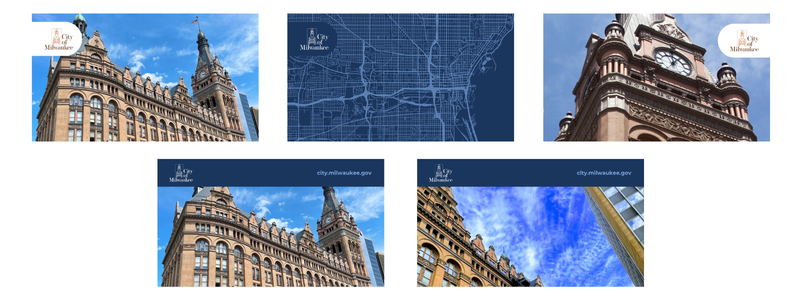
- Download city scenes, landmarks, and skyline images of Milwaukee.
- DPW photo library on Flickr.
- CC/CC Public Information Division Flickr - Various Milwaukee and City Clerk/Common Council images.
- City and Business Improvement District photos - milwaukee.gov/BIDS
- VISIT Milwaukee Media
- If you need addiitonal assistance, please contact the brand officer.
- To hire a photographer, videographer, or drone photographer, please reference the brand guide on the MINT for city-wide contracted services.
Podiums, Speakers, and Mics
- You can request items from our DPW facilities maintenance staff.
- If you need anything for an event, like tables, chairs, microphones, etc., you can request it here.
- You could also request any maintenance issue with them that needs to be addressed.
Slide Presentation Template
- Use this PowerPoint template to create a branded City of Milwaukee presentation
- Quickly and easily swap out the square logos for your department to make it your own and customize it
Virtual Backgrounds
- Download branded digital background images for Teams or Zoom
Website - Analytics, Metrics, and Titan Content Management System (CMS)
- Weekly Web Statistics are posted on the MINT – weekly reports list the top 2,500 viewed pages on our site.
- Submit an ITMD ServiceDesk Plus Request to receive monthly reports for specific webpages or to request more information.
- Learn Titan CMS / Request Website Training - Virtual training classes are offered at progressing levels of experience.
- View Titan CMS Templates and Layouts
Social Media
It’s important that the City of Milwaukee has a consistent look and feel across social media channels. Email for assistance or to collaborate on an update.
Alt Text - Image Descriptions
Screen-readers are used by individuals who are blind or have low vision. Please use alternative text (image descriptions). If you do not include them, there will be no context. The screen reader will read it as, “Image”, and continue on. See instructions for: Facebook, X/Twitter, or Instagram
Connect With Us
Submit a ServiceDesk request if you need your departmental social media information updated on the City's "Connect" social media webpage.
Event Promotion
Events posted on social media should also be posted to the central event calendar on the City of Milwaukee website. Work with ITMD to display news and updates on the main homepage and event/news pages.
Resources
Social Media Account Request Form & Strategy Plan
Limit opening new accounts and seek input from the Social Media Collaborators Group. Prospective content creators should develop a Social Media Strategy Plan. Please use the plan as a conversation starter to help your team/department determine audiences, choose a platform, set goals, and set success metrics for social media engagement.
Social Media Collaborators Group
Join our Outlook email group to network at virtual meetings, stay on top of updates, and share your events/info with us.
City of Milwaukee Facilities
Use numerals for an address number and abbreviate directional and street names:
• City Hall, 200 E. Wells St.
• 809 N. Broadway
• Zeidler Municipal Building, 841 N. Broadway
Capitalization of City
Capitalize the word “City” when it is used in place of the “City of Milwaukee” to describe actions, intentions, or beliefs of the local government. For example:
- The City places a high level of importance on traffic calming measures.
Do not capitalize the word “city” when it is used to describe an area or region. For example:
- We are installing traffic calming measures throughout the city.
City of Milwaukee Departments and Divisions
The proper way to refer to City of Milwaukee departments is:
Assessor's Office
Budget and Management Division
City Attorney’s Office
Community Development Grants Administration
Community Development Block Grant
Common Council/City Clerk
City Service Commission
Department of City Development
Direct Connect MKE (jobs platform)
Department of Community Wellness and Safety (no ampersand “&”)
Department of Compliance and Engagement
Department of Emergency Communications
Department of Employee Relations
Department of Administration
Department of Neighborhood Services
Department of Public Works
Election Commission
Employes’ Retirement System of the City of Milwaukee
Environmental Collaboration Office
Equal Rights Commission
Milwaukee Ethics Board
Fire and Police Commission
Housing Authority of the City of Milwaukee
Intergovernmental Relations Division
Innovation Office
Information and Technology Management Division
License Division
Legislative Reference Bureau
Milwaukee Arts Board
Milwaukee Fire Department
Milwaukee Health Department
Milwaukee Police Department
Milwaukee Public Library
Milwaukee Water Works
Neighborhood Improvement Development Corporation
Office of African American Affairs
Office of Early Childhood Initiatives
Office of Emergency Management
Public Information Division
Port Milwaukee
Redevelopment Authority of the City of Milwaukee
Vision Zero
Unified Call Center
Common Council
Always capitalize “Common Council” when referring to the Milwaukee Common Council. This is true whether or not you use “Milwaukee” before “City Council.” For example:
- The Milwaukee Common Council will decide on the ordinance today.
- The Common Council will decide on the ordinance today.
If you are talking about “common councils” in general, you do not need to capitalize the words. For example:
- In many major cities, common councils help enact laws.
Dates and Times
When listing the date for a meeting:
-
In primary instances, use a date format that follows this specific order: the day of the week, month, day, and year.
(Friday, January 23, 2026) -
Do not abbreviate the month or add a suffix to the date. (Jan. 23rd)
When listing the time for a meeting:
-
Do not include “:00” for times starting or ending on the hour. (4 - 6 p.m.)
-
Always write “a.m.” and “p.m.” in lowercase and with periods. Always put a space between the numerical time and the a.m./p.m. designation. (11 a.m. - 12 p.m.)
-
When writing time ranges, use a dash and place a space on either side of the dash. (4:30 - 6 p.m.)
-
Never use “noon.” Always use “12 p.m.”
Locations
- When writing street names, abbreviate the directional with a capitalized initial followed by a period and spell out the suffix in page titles or in copy.
N. Oakland Avenue
NOTE: Suffixes may be abbreviated (ex: “Street” to “St” or “Avenue” to “Ave”) when needed to save space. E.g., project maps, labels on maps.
When writing out the name of a project that includes the project street and the project limits:
- Always list the name of the street being worked on first, with the directional abbreviated and the suffix
- spelled out.
- If project limits apply, follow the project street with a dash with a space on both sides.
- After the dash, write out the project limits with the directional and suffix abbreviated.
- “From” and “to” project limits should be listed from south to north, and east to west.
(N. Sherman Boulevard - W. North Ave. to W. Capitol Dr.)
Mayor
Always capitalize “Mayor” when referring to the Mayor of Milwaukee. This is true whether or not you use the Mayor’s name. For example:
- Mayor Cavalier Johnson is coming to the meeting today.
- Cavalier Johnson, the Mayor of Milwaukee, is coming to the meeting today.
- The Mayor is coming to the meeting today.
If you are talking about “mayors” in general, you do not need to capitalize the word. For example:
- Mayor Cavalier Johnson will be among the mayors who will visit the White House this week.
- Housing is a big concern for mayors in many major cities.
Numbers
- Spell out numbers one through nine in writing, and use numerals for 10 and above.
- Always spell out numbers at the beginning of a sentence.
Exceptions:
- Ages: Use numerals.
A 5-year-old girl was in the car - Dimensions: Use numerals.
A 6-by-8 foot rug - Percentages: Use numerals and always “%”, do not write out “percent”.
The cost has been reduced by 5% - Time: Use numerals.
The event begins at 7 p.m. - Dates: Use numerals for the day.
January 1, 2017 - Large numbers: Use numerals for millions and billions.
A $1.2 billion deficit
Oxford Comma
Please adhere to AP Style in public-facing materials.
- However, for clarity in lists, please use the Oxford comma.
- Example: Milwaukee's sports teams are the Bucks, Brewers, and Admirals.
Phone Numbers - 10 Digit Dialing
- Always use the click-to-call friendly format for phone numbers. Remember to use dashes so that the numbers are recognized on mobile devices.
- Please use 414-286-2200, instead of (414) 286-2200, or 313.286.2200.
- In 2021, the Federal government had implemented ten digit dialing in the 414 area code.
- What this means is, even if you are calling another 414 telephone number, you will need to add the 414 to the number.
- If you previously used to dial 708-5555, you will now need to dial 414-708-5555.
- Check stationery or advertising materials and reprogram devices to ensure area code is included.
What to Avoid
- Jargon and government legalese
- Run-on sentences and muliple commas in a sentence
- Words like "may" or "shall"
- Acronyms (always spell them out at first mention)
- Symbols (don't use "&" and "@" symbols. Spell it out.
Alternative Format of Printed Materials
Print materials (meeting notices, agendas, reports, brochures, etc.) are to contain the statement below.
This material is available in alternative formats for individuals with disabilities upon request. Please contact 414-286-3475, [email protected] or TTY: 711.
Spanish translation:
Este material está disponible en formatos alternativos para personas con discapacidades que lo soliciten. Favor de contactar al 414-286-3475, [email protected] o TTY: 711.
Include "Braille" and "Large Print" symbols if space allows.
Accommodation Statement
Any event communication going out to the public (newsletters, publications, meeting agendas, public meetings/hearing flyers, etc.) is to include the statement below.
Reasonable accommodations provided for persons with disabilities upon request. Call 414-286-3475 or email [email protected].
Spanish translation:
Se proporcionan adaptaciones razonables para personas con discapacidades que lo soliciten. Llame al 414-286-3475 o mande un correo electrónico a [email protected].
Translation Requests
- If your project needs to be translated, please email requests to the City Clerk's Office for local translation services.
- Translation requests must include a plain-text Word document of the text content you would like to be
translated. It is recommended to include a PDF file of the English version of the fully designed final material(s) as a reference. - Please allow a minimum of one week for Spanish or Hmong translation of a social media graphic, brochure,
or flyer. - Longer time periods may be required for reports and other larger documents. Please plan accordingly.
Other Resources
- For questions or assistance, email [email protected] or call (414) 286-3475
- Understanding Assistive Technology: How Does a Blind Person use the Internet?
- Essential ‘how-to’ guidance for product managers in government.
