Template Guide
Use ready-made templates to quickly create graphics for various platforms and media that clearly communicate project milestones and updates.
The Template Guide can be found on Pages 38-56 of this document.
In the detail tabs below, there is more information on the following topics:
Template Elements
- Graphic Elements
- Styles
- Photos & Captions
Template Content Downloads
- Cross-Sections
- Social Media Posts
- Postcards
- Documents
- Door-Hangers
- Graphic Elements
- Styles
- Photos & Captions
- Cross-Sections
- Social Media Posts
- Postcards
- Documents
- Door-Hangers
Graphic Elements
DPW uses a variety of graphic elements across templates. When working with existing templates or creating new in-brand materials, ensure the graphics follow guidance.
Half Parallelogram

The half parallelogram element is featured the most prominently through all DPW templates via graphic add ons, titles, and website labeling. The angle should be 15 degrees.
Rounded Corners
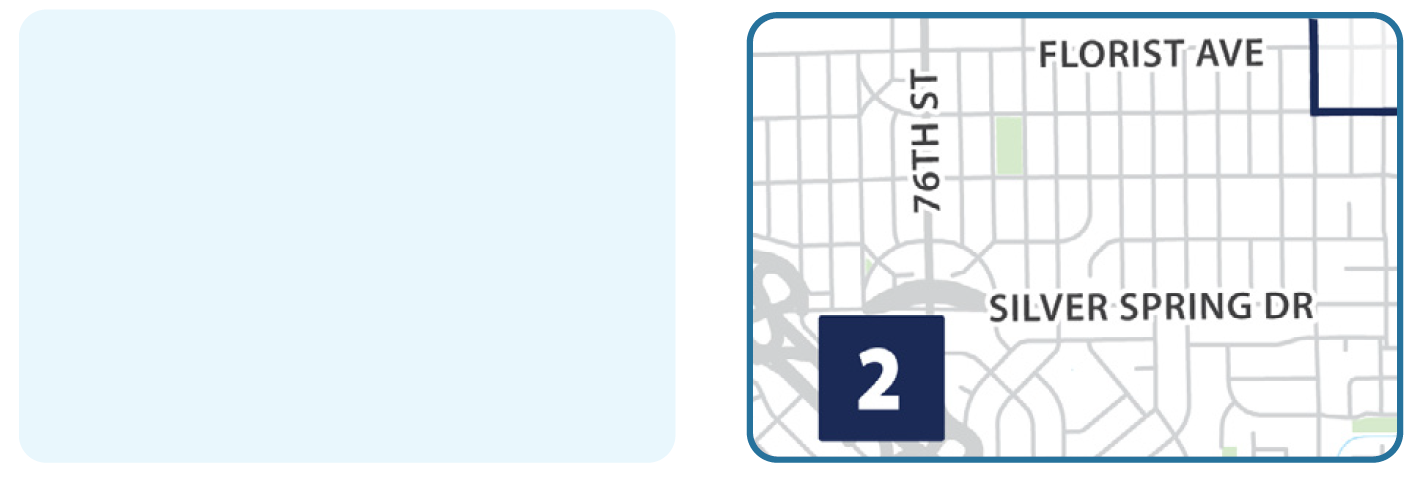
Maps, photos, and filled or outlined text boxes all feature a rounded corner. Corners are rounded 0.065 inches or 6 pixels, depending on the template settings.
Icon Treatments

There are multiple pre-styled icon backgrounds. For more details, see the Icon Guide.
Legends
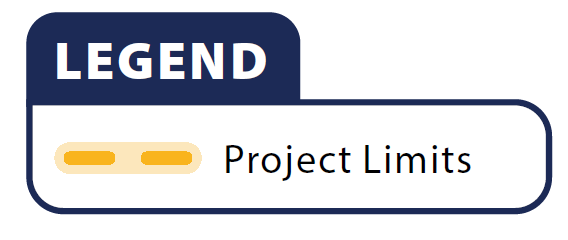
Legends feature a pop-up tab title. For more details, see the Map Guide.
Multi Square

The multi square element is used in a variety of headers and footers across DPW templates. It consists of three to four boxes featuring the various blue shades from the Expanded Palette (Dark Blue, Medium Blue, Teal, and Light Teal). A 1 pt weight Light Teal stroke appears to the right and stretches the length of the header or footer.
Fading Stripes

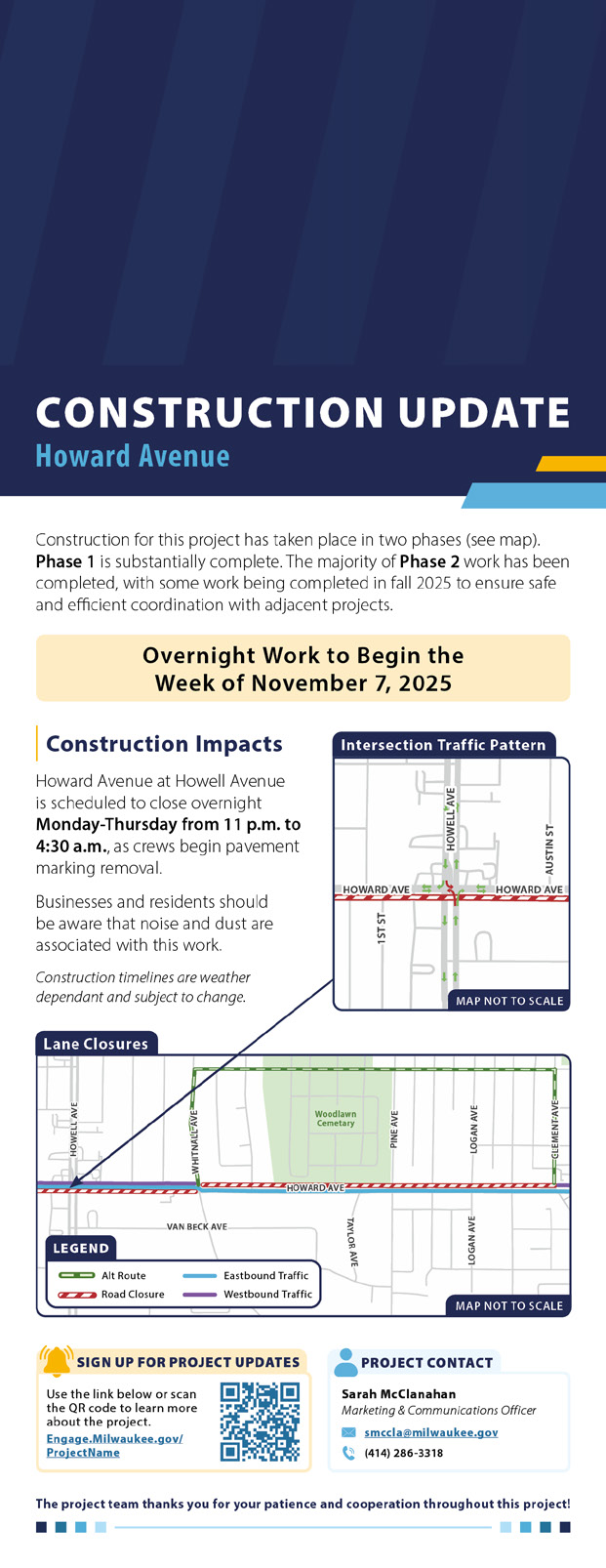
The fading stripes are used for some construction related materials. They specifically appear in Upcoming Closures Social Post and Construction Update Door-Hangers. The pattern emulates a road closure sign.
Confetti

The confetti asset is only used to create materials for Project Completion.
Styles
Templates for social posts, documents, door-hangers, and postcards are provided as Adobe InDesign files. Each file includes the DPW primary and expanded color palette, example design elements, and assigned paragraph and character styles. Use these elements when designing new materials to ensure visual consistency. Examples of various style elements are listed below. Specific template styles may vary depending on the layout and content. The measurements listed are based on an 8.5-by-11 inch document. When creating materials smaller or larger than an 8.5-by-11 inches, scale the strokes proportionally.

Title headings are typically written in Myriad Pro Black and name the type/purpose of the material. Title subheadings are typically written in Myriad Pro Condensed Black and provide the project name and/or the project limits.

Heading 1 features an 0.125 inch indent with Dark Blue Myriad Pro Black font with a 1 pt weight vertical yellow stroke. The spacing between the text and the vertical line is 0.12 inches.

Heading 2 is Dark Blue Myriad Pro Semibold with a 1 pt stroke Light Teal line. The line should stretch the width of the body copy below it. The spacing between the text and the horizontal line is 0.09 inches.
Bullet points are square shaped with Medium Blue color applied. If square is not available, use circular bullets in Medium Blue.
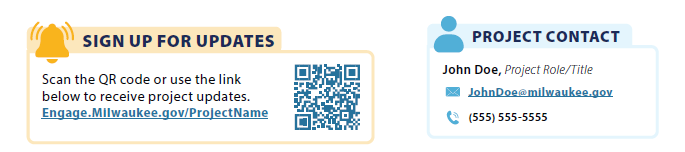
Sign Up for Updates and Project Contact boxes appear across many document templates. They can be altered to fit wider and smaller spaces depending on the layout, though the content should remain consistent. QR codes should be no smaller than 0.5 inches by 0.5 inches to maintain scanability.
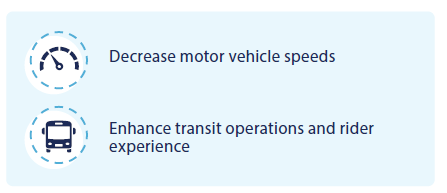
80% Tint Light Blue box callouts have text in Myriad Pro Regular and are intended to highlight or communicate key information. Corners are rounded 0.065 inches or 6 pixels. For PIM posts, they highlight the event date and location. For documents, they highlight key elements and/or impacts of a project. Only one blue callout box should be used for each material to avoid clutter and maintain visual hierarchy.
Photos & Captions
Photo Guidance
- DPW has a library of photos available on Flickr.
- When cropping:
- Use the rule of thirds.
- Avoid placement of photos that result in cropping heads on
people. - Avoid photo placements that partially crop street signs.
- When choosing photos:
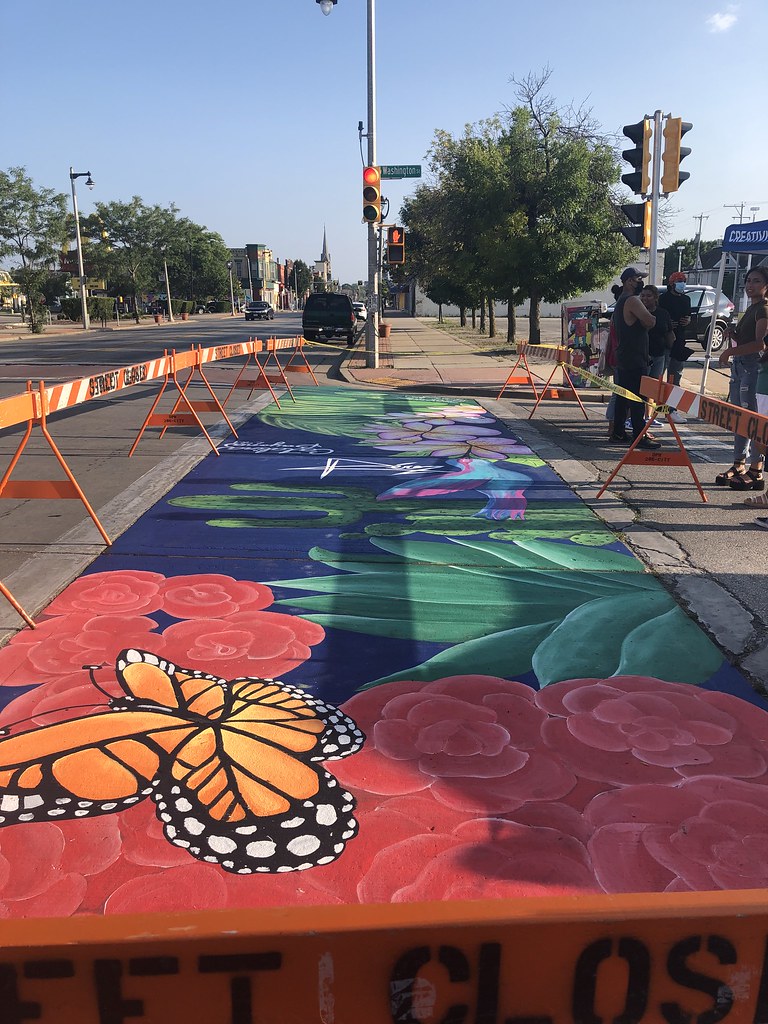
- Try to use photos of people interacting with the infrastructure.
- Try to use photos where the street is clean and free of debris.
Caption Types
Pop Up Tab: for maps in document templates.
Inset Tab: for precedent imagery* and “Map Not to Scale” in all templates.
*Precedent imagery: Photos of real, existing infrastructure used to show what the design
of a new project could look like. These images help illustrate the style, features, and overall
feel of the proposed design.
Photo Caption: for images in document templates.
Captions and Titles
Pop Up Tab and Inset Tab
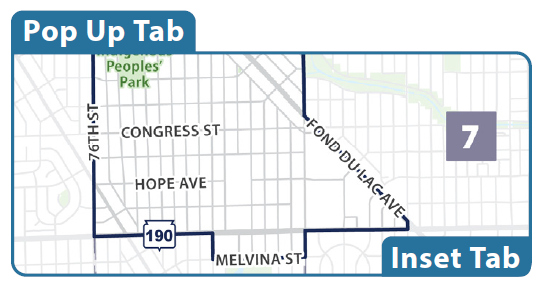
White
Myriad Pro Bold
10 pt, 25 pt tracking
Inset Tab
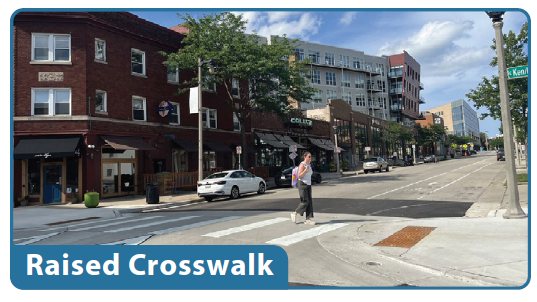
White
Myriad Pro Bold
10 pt, 25 pt tracking
Photo Caption
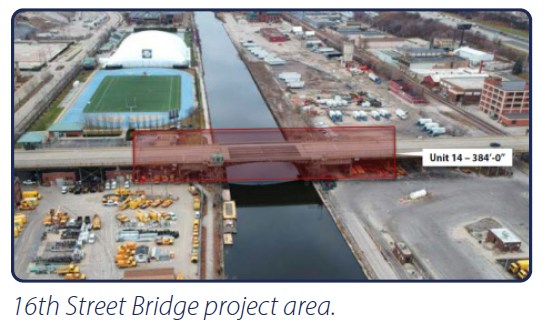
Dark Blue
Myriad Pro Light Italic
9 pt, 10 pt tracking
Cross-Sections
Purpose:
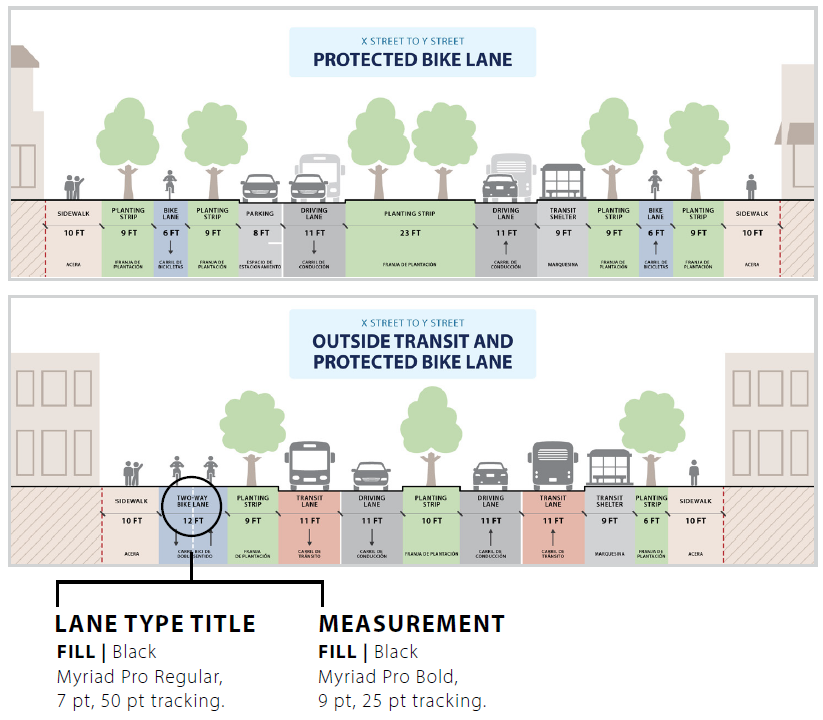
Cross-sections are diagrams intended to show the existing conditions or proposed/planned design of a street. A cross-sections base file with prestyled icons, strokes, and patterns can be downloaded below.
Guidance for use:
- Follow DPW style guidelines for cross-sections to maintain visual consistency. If a new element or treatment is needed, it should be cohesive with established styles and approved by DPW. These styles (including font sizes and stroke weights) are based on a 4-by-12 inch cross-section. When creating cross-sections smaller/larger than 4-by-12 inches, scale stroke weights and font sizes up and down proportionally.
- Vehicles, people walking, people biking, transit shelters, and trees are all available as DPW Icons.
- Buildings are meant to have minimal detail and generally convey the land use around the cross-section. For example, cross-sections representing suburban streets should show homes and not skyscrapers.
- Ensure the correct usage of approaching versus departing vehicle icons.
- See Page 43 of the Template Guide for guidance colors and strokes within cross-sections.
Sample:
Social Media
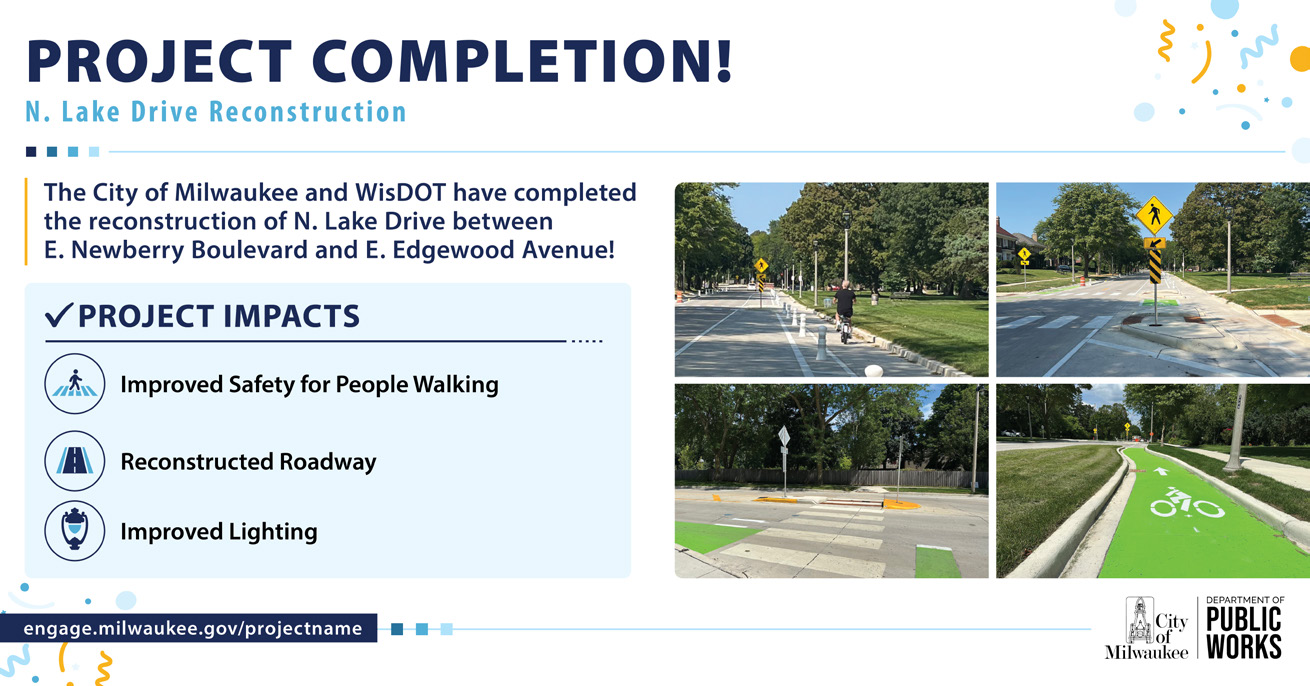
The Template Guide includes a collection of social media post templates, each accompanied by a description of its purpose and guidance for proper use. Please refer to Pages 44–49 for detailed information on each template.
Template Downloads:
- Public Involvement Meeting > Download
- Project Announcement > Download
- Project Completion > Download
- Construction Update > Download
- Upcoming Closure > Download
- New Infrastructure > Download
Sample:
Postcards
Purpose:
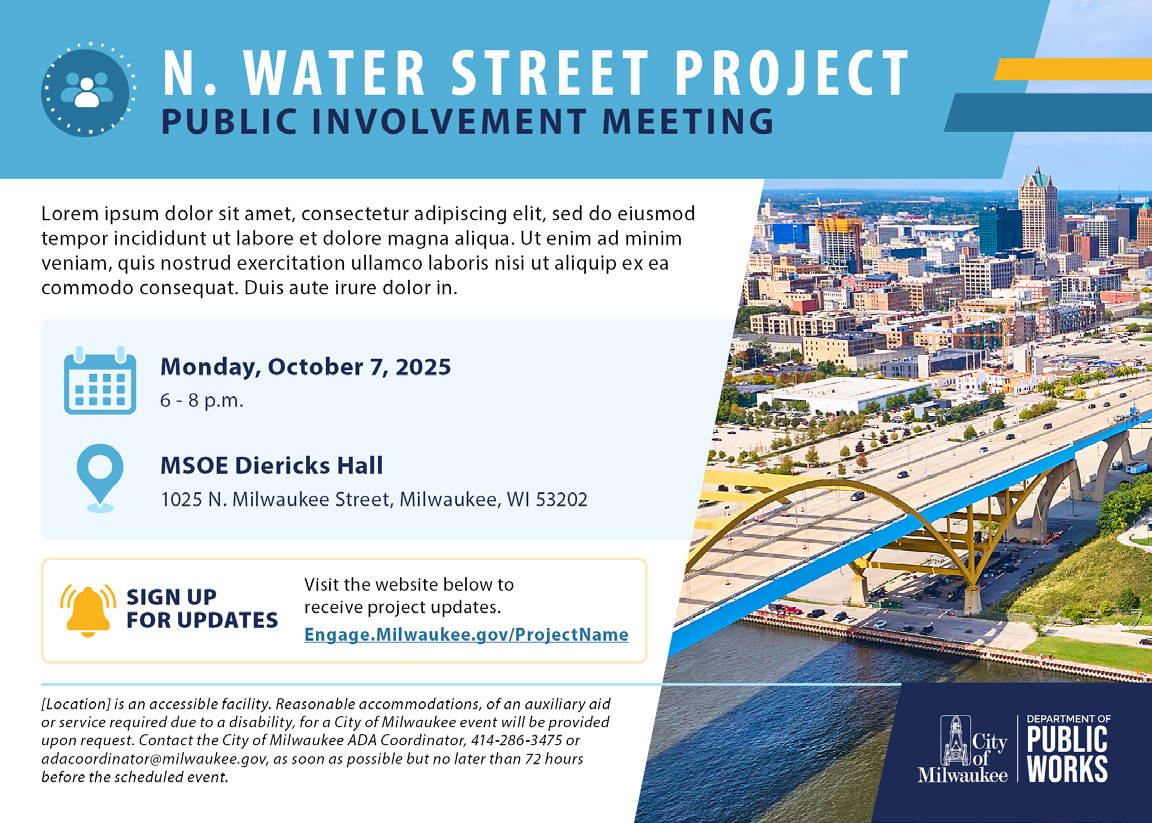
Public Involvement postcards are used to alert the public about upcoming public meetings.
Guidance for use:
- All content should follow the Language Guide.
- ADA statement should always be included. See Accessibility and ADA Considerations in the Brand Guide for details.
- QR codes cannot be smaller than 0.5-by-0.5 inches for scanability.
- Fonts must be 7 pt or larger to maintain readability.
- Use paragraph styles, established swatches, approved graphic elements,and DPW icons.
- Maps should be styled according to the Map Styling Guide.
- Postcard templates are provided as InDesign documents with artboards sized at 5-by-7 inches with a 0.25 inch bleed. Postcards should be printed with full bleed and trimmed to a final size of 5-by-7 inches.
- A clear space of 4.25 inches from the right edge must be included on the back side of the postcard.
Sample:
Documents
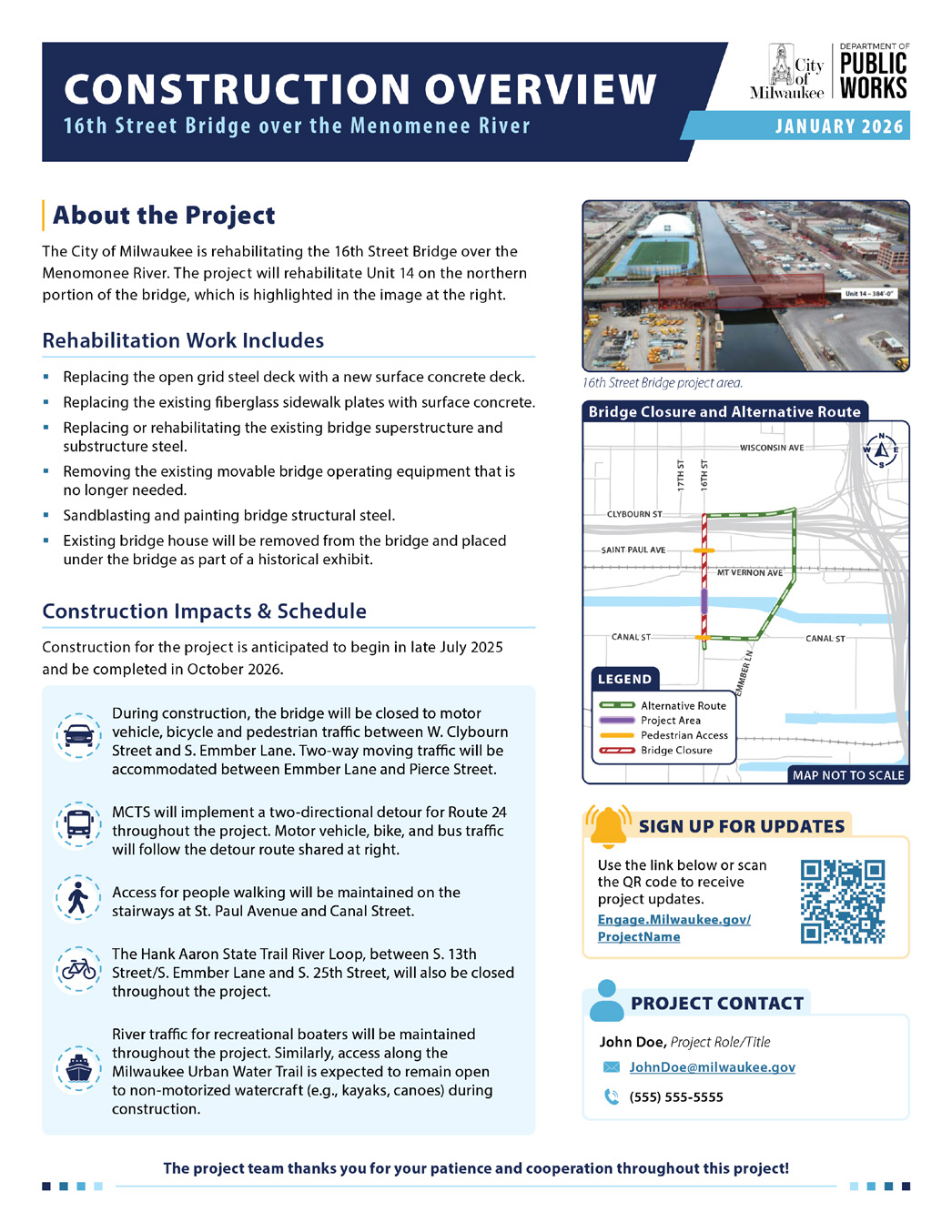
The Template Guide includes a collection of document templates, each accompanied by a description of its purpose and guidance for proper use. Please refer to Pages 52–55 for detailed information on each template.
Template Downloads:
- Design Overview > Download
- Design Update > Download
- Construction Overview > Download
- Construction Update > Download
Sample:
Door-Hangers
Purpose:
Construction update door-hangers are specific construction updates delivered directly to homes and businesses that will be impacted. They should include details of construction impacts and may include maps that outline impacts to traffic.
Guidance for use:
- All content should follow the Language Guide.
- QR codes cannot be smaller than 0.5-by-0.5 inches for scanability.
- Use established DPW paragraph styles, swatches, graphic elements, and icons.
- Final printed door-hangers should be trimmed to 4.25-by-11 inches.
- Layout is flexible based on content needs. Always be thoughtful about aligning elements and maintaining visual balance.
- The Light Yellow styled box should only be used highlighting the date and location of the work.
- Maps should be styled according to the Map Styling Guide and the Construction Map Guide.
- Ensure no labels are cut off.
- Always include a north arrow.
- Maps should have a 1 pt stroke around them.
- Maps should have a disclaimer: “Map Not to Scale.”
- Detour routes and alternate routes have different definitions. Refer to the Language Guide to ensure correct usage and map labeling.
Sample: